
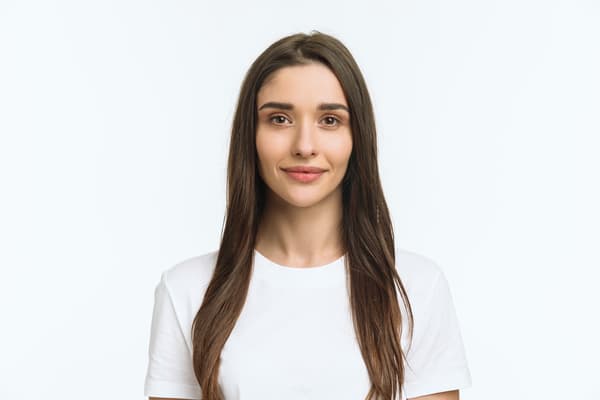
Why U.S. passport photos get rejected
Passport photos get rejected for various reasons, including the wrong photo size, wearing glasses (both eyeglasses or sunglasses), showing teeth, using the wrong background or poor lighting. Uniforms and clothing that can appear as a uniform are also not allowed.
Headphones, hats or head coverings aren't permitted, either, except for medical or religious reasons. Taking a photo too close up or too far away or one that is over-exposed or under-exposed will be rejected.
Submitting a photo that doesn't meet the requirements will be rejected. That’s why it is important to follow the U.S. passport photo rules to avoid any delays to your new passport application and to minimize having to retake photos after your application has been submitted.
Want to avoid your passport application being rejected?
At Easegov, we help you process your new passport using our optimized form.
Apply for your Passport
Lauren’s travel tip: Treat your passport photo like part of trip planning
Before any international trip, I check my passport’s expiration date and make sure it will be valid for my travel dates. If I need to apply for or renew my passport, I would also review the latest photo requirements before taking the picture. It’s a simple step that can help avoid preventable delays close to departure.
At Easegov, we make sure your passport photo complies with all the requirements to pass official review without a hitch.
U.S. Passport Photo Requirements
Ensure your application moves forward without delays by reviewing these photo requirements before submitting your application:
- Recency: Must be a color photo taken within the past 6 months
- Pose and framing: Face the camera directly with your head and shoulders straight; do not tilt your head up or down
- Facial expression: Keep your eyes open and visible, and your mouth closed (no showing teeth)
- Headwear and glasses: Remove eyeglasses, sunglasses, hats, and face coverings (unless you have documented medical or religious exemptions)
- Background and lighting: Must be a color photo taken within the past 6 months
- Recency: Use a plain white or off-white background free of textures, patterns, objects, or shadows
- Editing and Quality: Submit an original, unedited photo with no digital retouching or social media filters
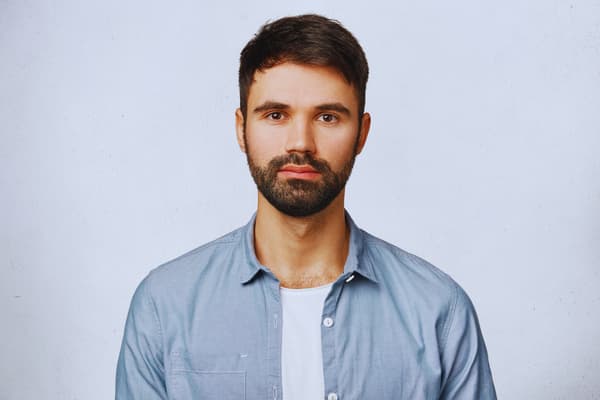
Can You Smile in a U.S. Passport Photo?
Many people wonder if you can smile in a passport photo. The quick answer is yes, you can smile in a passport photo, but there are some restrictions. You can smile with your mouth closed and lips together. You must avoid showing teeth, because it can delay your passport application.
Smiling with your teeth exposed can lead to a passport photo rejection. Having a neutral expression is the safest option to ensure your passport application is processed without any hiccups. Make sure your head and shoulders are facing the camera directly, and your eyes are open.
There is any restrictions for some items to wear?
While certain items are permitted in your passport photo, strict official restrictions still apply for the following items:
-
Clothing & Accessories: Wear standard daily clothes. Uniforms, camouflage print, or clothing that resembles a uniform are strictly prohibited
-
Eyeglasses & Sunglasses: Neither prescription glasses nor sunglasses are allowed—even resting on top of your head
-
Hats & Head Coverings: Hats, caps, and fashion headbands/large hair accessories are not permitted. Religious or medical head coverings are allowed if worn daily and in public, provided you submit a signed statement and your full face remains visible from hairline to chin
-
Hair & Face Visibility: Hair can be worn up or down, but it must not cover any part of your face, eyes, or eyebrows, or cast shadows across your face
-
Makeup & Jewelry: Everyday makeup is fine as long as it looks natural and maintains your true appearance. Facial piercings and basic jewelry are allowed provided they do not obscure or cover any facial features
Can You Take Your Own Passport Photo?
Yes, taking your own passport photo is allowed. If you choose to take your own photos, make sure to follow the passport photo guidelines to ensure they're accepted. Photos must be taken against a plain white or off-white background without any textures, lines, patterns or objects.
Consider using a white sheet or blanket against a colored wall. The lighting needs to be even and uniform to accurately show your skin tone and without any shadows. Photos can't be too dim or too bright, as it can create an over- or under-exposed image. Photos need to be printed on glossy or matte photo paper.
Camera filters are not allowed because you need to provide an accurate depiction of your face. Ask a friend or family member to take a photo of you because selfies aren't allowed. Go to a professional passport service when in doubt about whether the passport photo you've taken meets the guidelines or if you're not able to meet all the requirements.
Do I need to print my passport photo?
When renewing a passport, you can choose to take the complete process online, including the photos. Online renewal photos are submitted digitally so you don't need to print a photo.
The passport photo requirements for the online process are the same: you can't show your teeth, wear glasses or use any filters or edit the photo. You must be in the center of the photo with your head and shoulders facing the camera.
Photo files must be a JPEG, JPG, PNG, HEIC, or HEIF and between 54 KB and 10 MB. Mobile photos are allowed as long as they are saved in one of the correct file formats.
Need to renew your passport and want to avoid your application being rejected? At Easegov, we help you with our simplified renewal process.
Lauren’s note: The option I would choose before an important trip
I would choose to take professional photos for peace of mind. Professional passport photographers are trained and know exactly what is acceptable and what isn't, so there won't be any concerns that the photo could delay the application process. If travel is soon, professional services might be more accurate and faster to obtain a compliant photo.
However, taking photos at home is an option if you have plenty of time before your upcoming trip. The rule requires a plain white or off-white background, so my advice is to watch the wall directly behind your shoulders: even a faint shadow can cause problems. Move farther from the wall and light your face evenly instead of editing the shadow afterward.
Frequently Asked Questions
Toggle faqs
How recent does my U.S. passport photo need to be?
Your photo must have been taken within the past 6 months. The U.S. Department of State requires a current photo that accurately reflects your present appearance.
Toggle faqs
Can I edit, retouch, or filter my passport photo?
No. Digital editing, retouching, skin-smoothing, background-removal software, and AI filters are strictly prohibited. The photo must be an original, unedited representation of your actual skin tone and features.
Toggle faqs
What should I do if my passport photo is rejected?
If your photo is rejected, the passport agency will place your application on hold and send you a notice. You will need to submit a new compliant photo following the instructions in the notice. Using a professional service like Easegov helps ensure your photo meets every standard before submission to avoid delays.