How to Get TSA PreCheck®: Apply Online Without the Stress
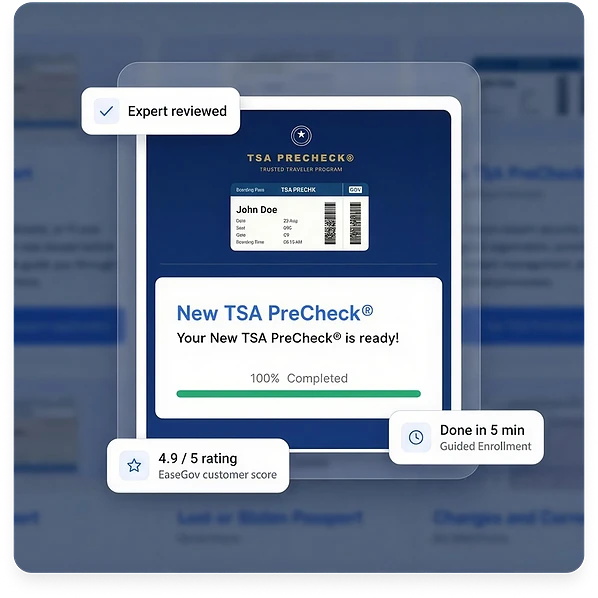
TSA PreCheck® helps you get through airport security faster. EaseGov makes it easier to get started by helping you prepare your application, review your information, and get ready for your enrollment appointment.
First-time applicants must attend a brief in-person appointment for identity verification and fingerprinting. The official enrollment fee is paid separately to your chosen provider.


EaseGov is an independent third-party preparation service. We are not affiliated with any government agency.
1M+
Applications Prepared
24/7
Real Human Support
100%
Designed to Meet Official Standards
TSA PreCheck at a Glance
-
 Membership validity: 5 years
-
Official enrollment fee: $79.75–$85, depending on the enrollment provider
-
EaseGov preparation fee: $94.95, separate from the official enrollment fee
-
Enrollment appointment: Approximately 10 minutes, including identity verification and fingerprinting
-
Approval timeline: Most applicants receive their Known Traveler Number (KTN) within 3–5 days, although some applications can take up to 60 days
Official enrollment fees verified November 4, 2026. Prices may change; check your selected enrollment provider for current rates.
What Is TSA PreCheck® and How Does It Work?
TSA PreCheck® is an official U.S. government program operated by the Transportation Security Administration (TSA). It allows pre-approved, low-risk travelers to use expedited security screening lanes at over 200 U.S. airports, with over 90 participating airlines.
Once approved, you receive a Known Traveler Number (KTN). Add this number to your airline reservations so the TSA PreCheck indicator can appear on your boarding pass, allowing you to use the dedicated security lanes.
TSA PreCheck Benefits
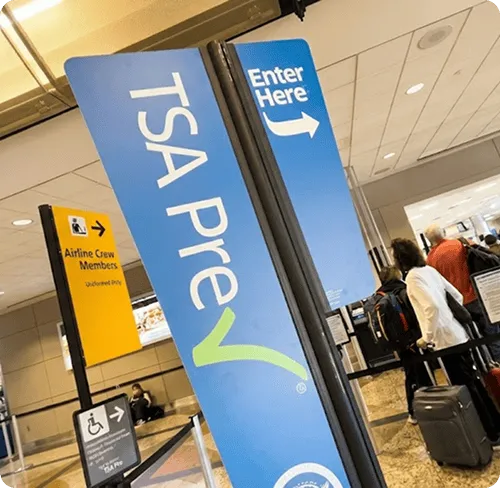
TSA PreCheck makes airport security faster and more convenient for eligible travelers. Its main benefits include:
-
Dedicated security lanes: Access expedited screening at participating U.S. airports.
-
Less unpacking: Keep laptops and 3-1-1 liquids inside your carry-on bag during screening.
-
Fewer clothing restrictions: Keep your belt and light jacket on during standard TSA PreCheck screening.
Important: Since July 2025, travelers in standard security lanes can also keep their shoes on. This is no longer an exclusive TSA PreCheck benefit.
Wondering whether the program is right for you? See our TSA PreCheck comparison guide.
Why Use EaseGov If You Can Apply Directly at TSA.gov?
You can apply directly for TSA PreCheck® through the official enrollment providers listed at tsa.gov, without using EaseGov.
EaseGov is a private preparation service that helps you navigate the application process. For $94.95, we provide:
-
Guided application preparation: A smart application path that helps you complete your information.
-
Expert review: Human-verified checks to catch data mismatches and potential errors before submission.
-
Personalized guidance: Clear instructions and a document checklist to help you prepare for your enrollment appointment.
-
Customer support: Access to real specialists who can answer your questions throughout the preparation process.
The official enrollment fee is paid separately to your chosen provider. EaseGov doesn't grant TSA PreCheck status, guarantee approval, or replace the mandatory in-person appointment.
Our refund policy: A full refund is available within 30 days, as long as the service has not been rendered. See our Pricing and Refund Policy.
Read our verified customer reviews or visit our Trust and Safety Center to learn how we protect your data and help you identify unofficial sites.
How to Apply for TSA PreCheck® With EaseGov in 3 Steps
Applying for TSA PreCheck doesn't have to be complicated. EaseGov helps you prepare your application and get ready for your enrollment appointment.-

Step 1: Complete Your Application Online
Complete our simple online form in just a few minutes. We gather everything needed to prepare your enrollment.
-

Step 2: Expert Review Before You Submit
Our experts perform a human-verified review of your application. We check your information for potential errors and inconsistencies before submission.
-

Step 3: Attend Your 10-Minute Enrollment Appointment
Visit an authorized enrollment center for your in-person appointment, which typically takes about 10 minutes. An official agent will verify your identity documents, collect your fingerprints, take your photo, and process your enrollment payment.
You can find an enrollment center near you and learn what to bring to your TSA PreCheck appointment.
Who Can Apply for TSA PreCheck?
To apply for TSA PreCheck®, you must meet the following eligibility requirements:
-
Citizenship or residency: You must be a U.S. citizen, U.S. national, or a lawful permanent resident (Green Card holder).
-
Criminal history: Certain criminal convictions, pending charges, or outstanding warrants may disqualify you.
-
Background check: You must pass the TSA's security threat assessment.
Children ages 12 and under can generally use TSA PreCheck lanes when traveling with an eligible adult. Children ages 13–17 may also qualify when traveling on the same reservation, provided the TSA PreCheck indicator appears on their boarding pass.
You May Already Have TSA PreCheck If You Meet These Requirements
You may already qualify for TSA PreCheck benefits without applying separately if you belong to another eligible program or hold certain credentials:
- Global Entry, NEXUS, or SENTRI: Eligible members can use TSA PreCheck by adding their PASSID to airline reservations.
- TWIC or CDL with HME: Qualifying Transportation Worker Identification Credential (TWIC) holders and commercial drivers with a Hazardous Materials Endorsement (HME) can access TSA PreCheck using their credential numbers.
- Active-duty military: Eligible U.S. military personnel can use their Department of Defense (DoD) ID number as their Known Traveler Number (KTN).
Learn more in our TSA PreCheck, Global Entry, and CLEAR comparison or explore TSA PreCheck fees and discounts.
Which Is the Best TSA PreCheck Provider?
You can enroll in TSA PreCheck® through three official providers: IDEMIA, Telos, and CLEAR. All three offer the same five-year TSA PreCheck membership, but their fees and enrollment locations differ.
Fees verified on November 4, 2026. Prices may change. Check your selected provider for current rates.
The best TSA PreCheck provider depends on the enrollment locations available near you and the fees you prefer. All three require identity verification and fingerprinting for first-time applicants.
These official enrollment fees are separate from EaseGov's $94.95 preparation service.
For more information, see our full TSA PreCheck discounts guide.
Where to Get TSA PreCheck: Enrollment Locations and Appointments
You can complete your TSA PreCheck enrollment at an authorized center operated by IDEMIA, Telos, or CLEAR. Locations include participating retail stores, airports, and dedicated enrollment centers.
To find a TSA PreCheck enrollment center near you, select a provider and search for available locations using your ZIP code.
Where Can You Enroll in TSA PreCheck?
The three official providers offer appointments at different locations:
- IDEMIA: Participating Staples stores, IdentoGO centers, and other authorized locations.
- Telos: Participating Office Depot and OfficeMax stores, USPS locations, and other enrollment centers.
- CLEAR: Enrollment centers at participating airports.
You can find current locations and appointment options through IDEMIA, Telos, or CLEAR.
Do You Need an Appointment for TSA PreCheck?
Scheduling an appointment is recommended, although some enrollment centers accept walk-ins. Check your selected provider's availability before visiting.
Appointments typically take around 10 minutes and include document verification, fingerprinting, and a photograph. For more information about the appointment process, see our TSA PreCheck interview guide.
Your Known Traveler Number (KTN): What It Is and How to Use It
Once TSA approves your application, you receive a Known Traveler Number (KTN), which you use to access TSA PreCheck benefits when flying with participating airlines.
Your TSA PreCheck membership is valid for five years. Global Entry members can use their PASSID as a KTN. Eligible military personnel can use their Department of Defense (DoD) ID number.
Note: A KTN is different from a Redress Number, which is used to help resolve recurring travel screening issues.
How to Add TSA PreCheck to Your Airline Reservation
To use TSA PreCheck, add your KTN to your airline reservation before checking in for your flight.
- Sign in to your airline account or open your existing reservation.
- Find the passenger information or Known Traveler Number field.
- Enter your KTN and save your changes.
- Check that your name and date of birth match your TSA PreCheck enrollment details.
You can also save your KTN in your frequent flyer profile for future bookings. Here's where to add it with major U.S. airlines:
You can add your KTN after booking, but it's best to do so before checking in.
TSA PreCheck Not Showing on Your Boarding Pass?
If your TSA PreCheck indicator isn't showing on your boarding pass, check the following:
- Incorrect KTN: Make sure you entered the number correctly.
- Mismatched details: Your name and date of birth must match your TSA PreCheck enrollment information.
- Late updates: If you added your KTN after checking in, ask your airline to update your reservation and issue a new boarding pass.
- Expired membership: Check whether you need to renew your TSA PreCheck membership.
- Additional screening: TSA PreCheck benefits aren't guaranteed on every flight, even for approved members.
At EaseGov, we carefully review your application to help ensure your name, suffixes, and date of birth are entered correctly, reducing the risk that TSA PreCheck won't appear on your boarding pass.
If the issue continues, contact your airline or the TSA for assistance. You can also check the official TSA PreCheck FAQ for additional troubleshooting guidance.
TSA PreCheck Touchless ID: How It Works and Where to Use It
TSA PreCheck Touchless ID is an optional service that uses facial recognition technology to verify your identity at participating airports.
Instead of showing your physical ID or boarding pass to a TSA officer, you can use a dedicated lane where a camera matches your face with your passport information.
To use TSA PreCheck Touchless ID, you must:
-
Have an active TSA PreCheck membership and Known Traveler Number (KTN)
-
Hold a valid passport
-
Have an account with a participating airline and opt in to Touchless ID
To activate it, add your passport information and KTN to your airline profile, then follow the instructions to opt in. Once eligible, a Touchless ID indicator will appear on your boarding pass.
The service is available through participating airlines, including American, Delta, United, Southwest, Alaska, and Hawaiian, at selected U.S. airports including:
- ATL: Hartsfield–Jackson Atlanta International Airport — Atlanta, Georgia
- DEN: Denver International Airport — Denver, Colorado
- LAX: Los Angeles International Airport — Los Angeles, California
- LGA: LaGuardia Airport — New York, New York
- SEA: Seattle–Tacoma International Airport — Seattle, Washington
Availability depends on your airline and airport. Check your airline's current participating locations before traveling.
Airport availability verified November 4, 2026.
Important: You must still carry an acceptable physical ID in case a TSA officer requests it.
Touchless ID is optional and doesn't require an additional enrollment fee. Check your airline's website for participating airports and availability.
How to Check Your TSA PreCheck Status
You can check your TSA PreCheck application status through your enrollment provider: IDEMIA, Telos, or CLEAR.
Not sure which provider you used? Visit TSA.gov. If you've been approved but can't find your KTN, learn how to find your Known Traveler Number.
Need support preparing your application with EaseGov? Get in touch with our Customer Support team.
What You'll Need to Apply for TSA PreCheck
For your TSA PreCheck enrollment appointment, bring valid identification and proof of U.S. citizenship or lawful permanent residency.
Depending on your documents, you may need a U.S. passport, a Permanent Resident Card, or a photo ID together with a certified birth certificate. If your legal name has changed, extra documents may be required.
Already a Member? Renew Your TSA PreCheck® Online
Already have a Known Traveler Number (KTN)? You may be able to renew your TSA PreCheck membership online without visiting an enrollment center.
Find out how to get started with our TSA PreCheck® Renewal service.
TSA PreCheck Guides & Resources

TSA PreCheck Requirements, Interview and Approval Time: What to Expect (2026)
Key Takeaways It’s quick and administrative: The in-person appointment is not a rigorous interrogation; it’s simply an identity verification process that typically takes about 10 minutes. What happens inside: An agent will review your identification documents, scan y...
TSA PreCheck Discounts in 2026: Active and Expired
Current TSA PreCheck Discounts Here are the main savings options available in 2026: TSA PreCheck military discount: Service members and Department of Defense civilian employees can receive TSA PreCheck benefits at no additional cost. Military spouse benefit: Spouses of active-duty service...
TSA PreCheck vs. Global Entry vs. CLEAR: Which Is Best?
Key Takeaways TSA PreCheck, Global Entry, and CLEAR speed up different airport steps. PreCheck improves security screening, Global Entry expedites U.S. arrival processing, and CLEAR speeds up identity verification. TSA PreCheck is usually best for domestic travelers, w...
Why Do Travelers Trust EaseGov for TSA PreCheck®?
Avoid Mistakes. Save Time. Apply with Confidence.-

Expert Guidance
Our specialists review your application preparation to help ensure completeness before submission.
-

Bank-Level Security
Your personal data is protected with 256‑bit encryption and secure data centers that follow strict compliance standards.
-

Speed & Efficiency
Our streamlined process and smart error checks help you finish faster and avoid costly back‑and‑forth.
-

Preparation Quality Assurance
Our team supports you if any preparation-related concern needs clarification or adjustment under our service policy.
How Can Our Experts Guide Your TSA PreCheck Application?
Support Before Your Submission
TSA PreCheck application requirements may change over time. We review your information, respond to your questions, and give you an updated checklist of acceptable documents before your official submission.

Frequently Asked Questions About TSA PreCheck®
Toggle faqs
What is TSA PreCheck and how does it work?
TSA PreCheck is a program that lets approved, low-risk travelers use dedicated security lanes at more than 200 U.S. airports. It allows you to keep laptops and 3-1-1 liquids in your bag, saving time. To access the benefits, add your Known Traveler Number (KTN) to your airline reservations.
Toggle faqs
Does TSA PreCheck count as a Real ID?
No. TSA PreCheck is not an ID. You still need a REAL ID-compliant license or another accepted ID. Since February 1, 2026, travelers without acceptable identification can pay $45 for TSA ConfirmID identity verification, although successful verification isn't guaranteed.
Toggle faqs
Can my family use my TSA PreCheck®?
Children 12 and under can generally accompany an enrolled parent or guardian. Teens 13–17 on the same reservation may also qualify if their boarding pass shows the TSA PreCheck indicator. Adults need their own membership.
Toggle faqs
Do I need to carry a physical TSA PreCheck card?
No. While some members receive a physical card (if they applied through Global Entry), standard TSA PreCheck relies entirely on your KTN being electronically attached to your boarding pass.
Toggle faqs
How much does TSA PreCheck cost?
New enrollment costs $79.75 with IDEMIA, $84.95 with CLEAR, or $85 with Telos for five years. EaseGov's $94.95 preparation fee is separate.
Toggle faqs
How long does it take to get approved?
Most applicants receive their KTN within 3–5 days, although some applications can take up to 60 days.
Toggle faqs
Can I complete the TSA PreCheck application entirely online?
No. While EaseGov handles the complex online pre-enrollment for you, federal law requires all first-time applicants to attend a brief 10-minute in-person appointment for fingerprinting. Renewals can usually be processed online without another interview.
Toggle faqs
What if my TSA PreCheck application is denied?
The TSA makes the final eligibility decision after reviewing your background check. If denied, review your notice for available appeal or redress options.
Toggle faqs
Is EaseGov part of the TSA?
No. EaseGov is a private company that prepares your application for a fee. You can apply directly through the official providers listed at TSA.gov without using our service.
Ready to Prepare Your TSA PreCheck® Application?
Join thousands of travelers who choose structured guidance and expert review before their official enrollment.
Sources and Review
Last reviewed: November 4, 2026
This guide is based on official TSA guidance and information from authorized enrollment providers:
Content reviewed by: EaseGov Editorial Team